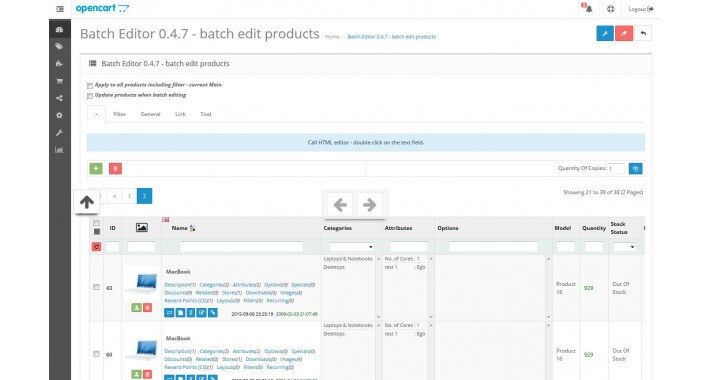
Batch Editor - опция для администратора OpenCart 1.5.xx - 2.2.xx, что упрощает работу с товарами.
Позволяет выполнять пакетное редактирование товаров, а так же изменять данные товара непосредственно в списке + другие возможности.
Предварительный Просмотр
Batch Editor - option for the admin OpenCart 1.5.x.x - 2.2.x.x, which makes it easier to work with the goods.
Features: batch editing products, as well as editing directly in the list of + tools.
Installation: copy the contents of the archive in the root of Your site (without the replacement of files).
Lang: Russian & English
One license is for one domain
After payment, email me at
yaroslav-kaverzin[a]yandex.ru and specify the
domain name
DEMO 1.5.x.x
DEMO 2.0.x.x
Login & Password - demo
Installation and configuration
Copy the contents of one of the archive folders (depending on the version of Opencart) in the root of Your website.
For versions 1.5.x.x
If there is no vqmod manually added a link to the add menu (without editing controllers) file admin\view\template\common\header.tpl
looking for line
before OR after it is added
Batch Editor
For versions 2.x.x.x
You need to go to Extensions -> Modifications and click button Refresh
The module will be available in the Menu -> Catalog -> Batch Editor
Next, the System->Users->User Groups putting the right to:
batch_editor/data
batch_editor/index
batch_editor/setting
batch_editor/template
batch_editor/tool
AFTER INSTALLATION YOU NEED TO GO TO SETTINGS AND ACTIVATE MODULE
If you cannot save settings - you need to set permissions 777 for the folder admin/view/batch_editor/setting/ and to all subfolders